
Let’s talk about your space.

FEATURES & CAPABILITIES

More connection. Less upkeep.

Bring your social content, business updates, and branding together on your lobby screen. MyLobi helps you connect with the customers already in your space, while automatic social updates take one more task off your plate.
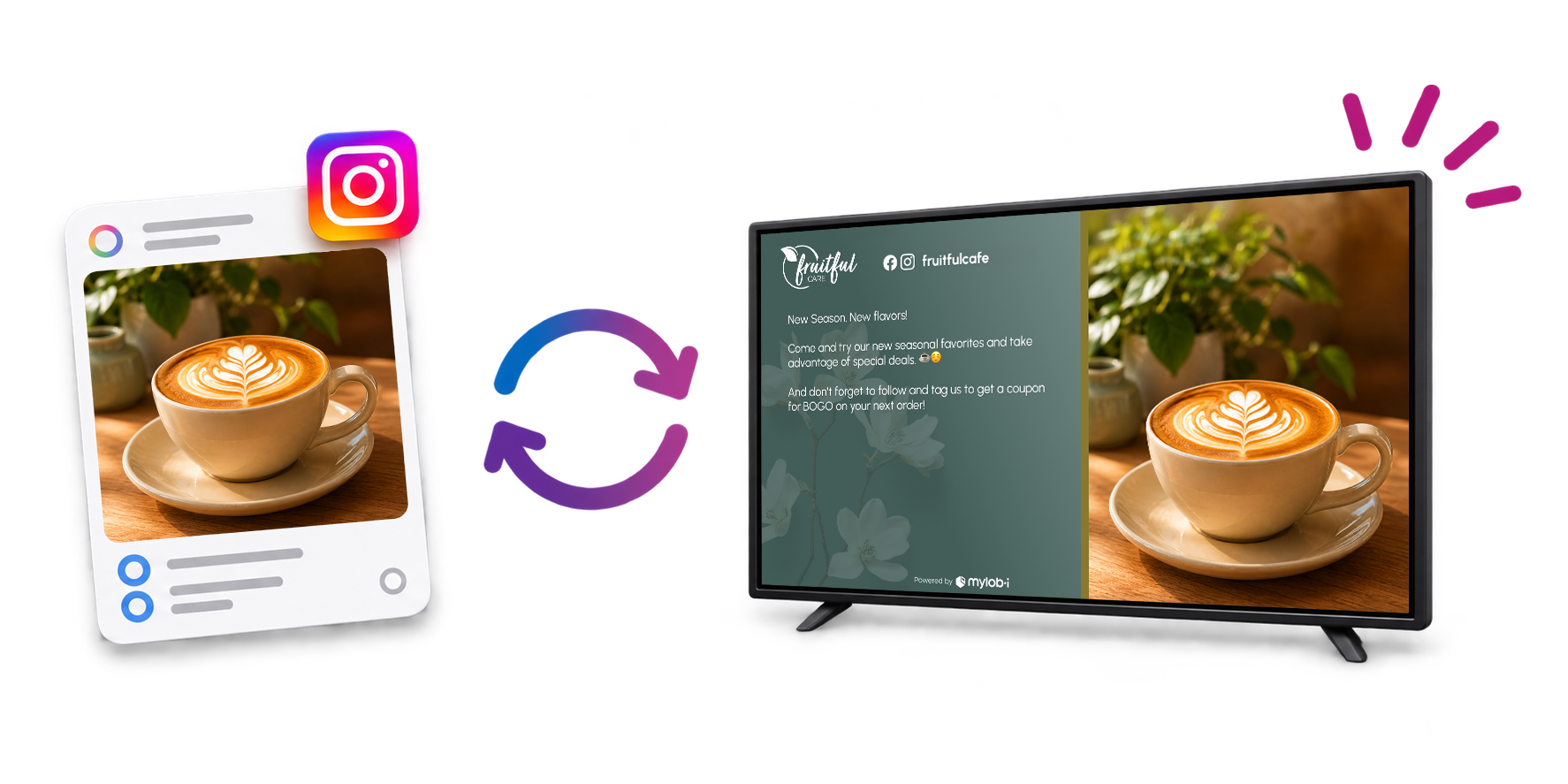
Social Posts auto-sync to your TV

Put your content to work in your space.

Give customers more ways to discover your business and a reason to stay connected after they leave.

Facebook & Instagram content

Connect your social accounts and bring supported posts into your display.

Automatic social updates

MyLobi detects your latest connected content and fills your social slides for you. Refresh timing depends on your plan.

Your business, your branding

Use your logo and a theme that fits your business to make the screen feel like part of your space.

Updates beyond the feed

Pair social content with announcements, images, text, and business information using the layouts and editing tools in your plan.

Keep posting. We’ll handle the screen.

You already put thought into what you share online. MyLobi gives that work another place to connect with customers, without making you rebuild a slide for every new post.

Automatic social updates follow your plan’s refresh schedule.
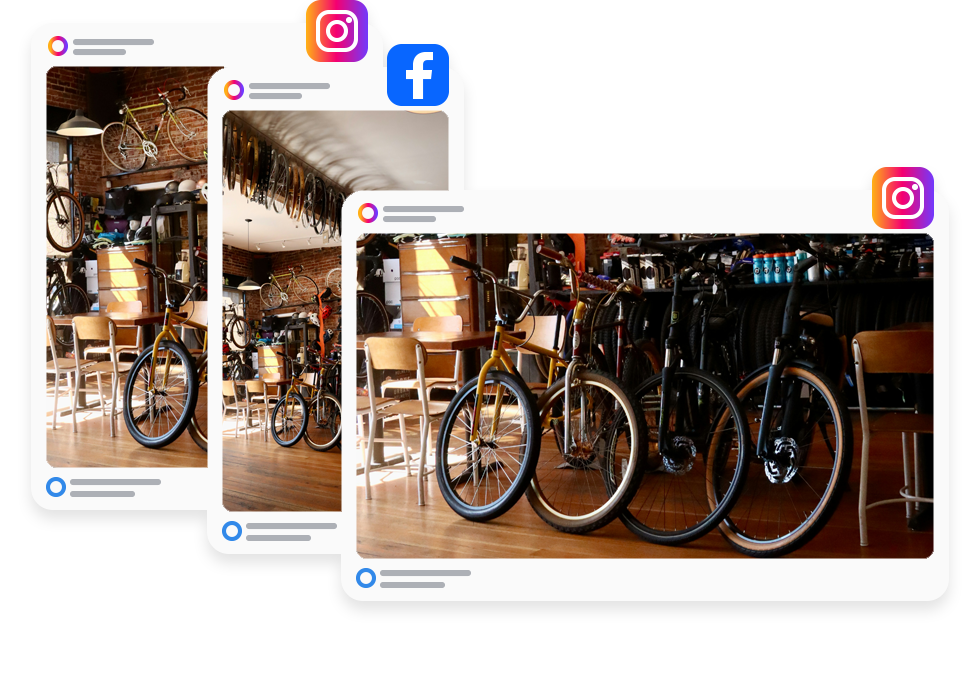
Three Post Sizes

A display that feels like your business.

Start with a designed theme, then use the customization tools in your plan to make it yours.

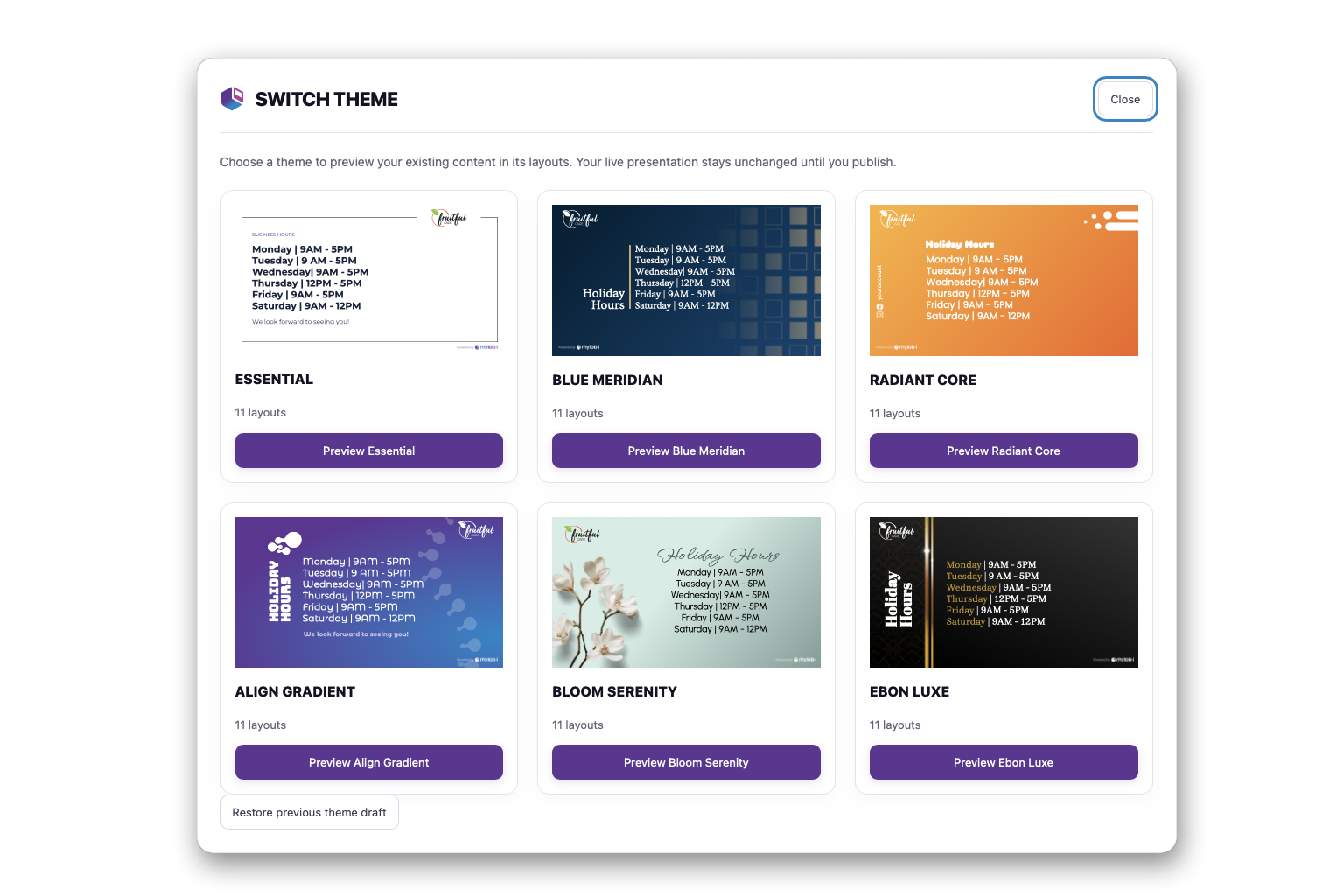
Theme Selection

Themes & layouts

Choose a theme and use its available layouts to build a consistent presentation.
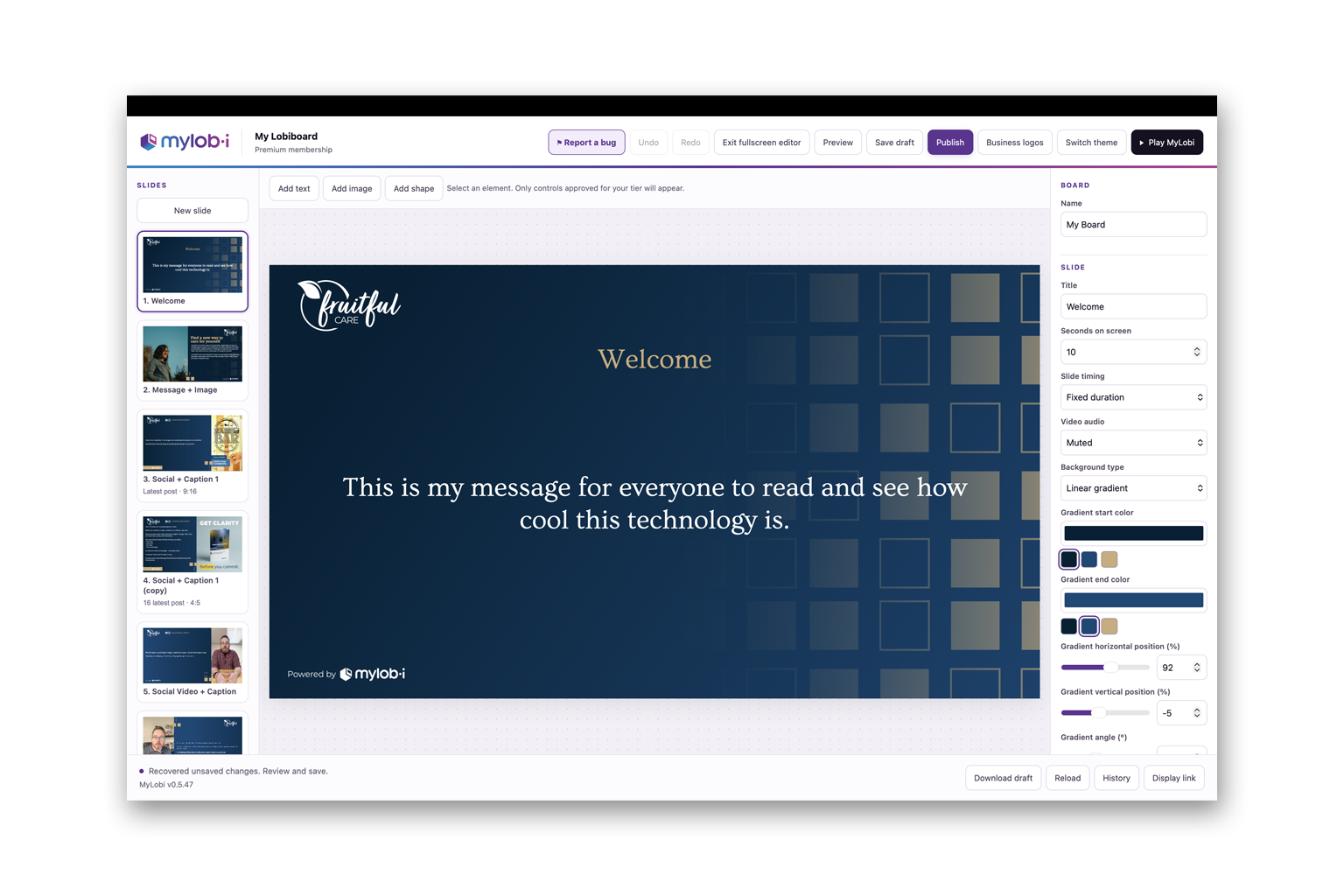
MyLobi Editor Screen

Editing tools

Adjust your display with the positioning, styling, and content controls available in your plan.
Video Slides on Screen

Video alongside your content

Use supported YouTube and Vimeo links to add video to your board.

Choose how you create and connect.

Start with the essentials or choose more theme options and editing flexibility.

CapabilityFreeBasicPremium
Facebook & Instagram content✓Included✓Included✓Included
Automatic social updates✓Included✓Included✓Included
Social account handles✓Included✓Included✓Included
Theme access◐Essentials◐Expanded selection✓All public themes
Editing tools◐Limited◐Expanded✓Advanced
Add text, images & shapes−—−—✓Add your own elements
QR codes−—−—✓Premium Exclusive

✓ Included   ◐ Limited   − Unavailable   ◷ Planned

Make your social media work harder.

Give the content you already create another place to connect.

Plan your display setup.

Your screen and the device playing your board work together. Check your setup before putting MyLobi into daily use.

A display in your space

Use a TV or monitor where customers can comfortably see your content.

A compatible playback setup

A computer connected to your screen is one setup to test. Built-in TV browsers and streaming devices vary, so check your specific device.

An internet connection

Keep the playback device online for connected social content and updates. Video also depends on the source service and network connection.

Have a setup in mind? Contact us to discuss it before choosing equipment.

Find your playback setup.

Choose a TV, streaming device, or computer. Browser options vary by model and region.

Check your model before buying. Browser availability does not confirm MyLobi playback. Test your board on the exact device, especially video, audio, and continuous looping.

Use a browser on your TV or streaming device

Free download

Amazon Fire TV

Amazon Silk

Setup details

Look for Silk on your Fire TV Stick, Fire TV Cube, or Fire TV smart TV. Check the app listing for your exact model.

Free, built in

Samsung smart TVs

Samsung Internet

Setup details

Look for the Internet app on your Tizen TV. Availability varies by model.

Free, built in

LG smart TVs

LG Web Browser

Setup details

Look for the Web Browser app on your webOS TV. Availability varies by model.

Free option available

Google TV and Android TV

TV Bro (free) or Puffin TV Browser (paid)

Setup details

Check Google Play on your device for TV Bro. Examples include select Sony, TCL, and Hisense TVs, Google TV Streamer, Chromecast with Google TV, onn. Google TV, and NVIDIA Shield TV. Puffin TV Browser is an optional paid subscription.

Connect a playback device by HDMI

Free browser

Mac or Windows computer

Your computer’s browser

Setup details

Connect your computer to a TV or monitor by HDMI and open your MyLobi playback link on the computer. You may need a cable or adapter.

Hardware may cost extra

Roku, Apple TV, and Vizio SmartCast

Use a separate playback device

Setup details

Use a computer or a compatible streaming device connected to an HDMI input on your TV. Roku devices do not offer a suitable browser, Apple TV has no built-in Safari, and Vizio SmartCast TVs do not offer a built-in general-purpose browser.

Hardware may cost extra

Older cast-only Chromecast

Use a separate playback device

Setup details

Cast-only Chromecast models cannot install a TV browser. For direct browser playback, connect a computer or a compatible streaming device to your TV.

PREMIUM QR CONNECT

Make following you one scan away.

MyLobi Premium users have access to a slide QR code. That means that social slides include not only your account handle, but can also include a built-in QR code that will make it easy for anyone to scan and follow.
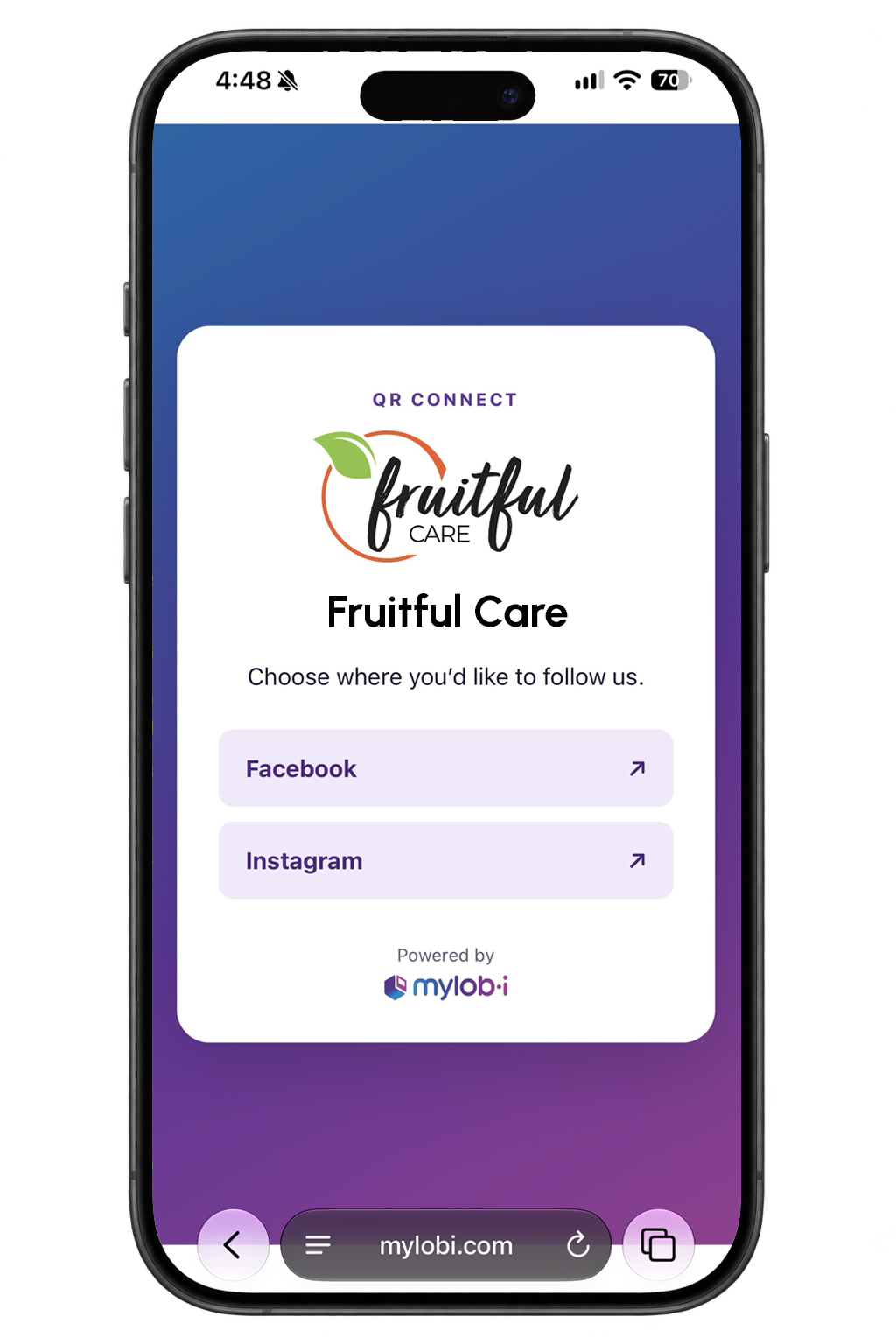
Mobile phone showing follow screen after QR code scan

A few things you might be wondering.

Do I need to update social slides manually?

No. MyLobi automatically detects your latest connected social content and fills your social slides. Updates follow the refresh schedule included in your plan.

Do I need to manually edit my slides if I have different styles/sizes of posts in my feed?

No. MyLobi automatically detects the size of your content (4:5, 9:16, or 16:9) and adjusts your slides automatically so you never have to worry about your Lobiboard layouts ruining your content.

Can I display content that isn’t on social media?

Yes. You can combine social content with business information, announcements, images, text, and other custom content using the layouts and editing tools available in your plan.

Does MyLobi work directly on every smart TV?

No.TV browsers and streaming devices vary in their playback capabilities. You will need to make sure you test your specific setup or contact us for help checking it before relying on it for daily use. For a brief summary of compatibility, check the compatibility section above.

Can I include video?

Yes. MyLobi supports YouTube and Vimeo links for video slides. And if your social feed uses 16:9 video, the slide will automatically adjust to full-screen on playback. Playback can depend on the video’s embedding permissions, your browser, and your internet connection.

Can people in my lobby easily find my social accounts?

Yes. Social slides display your account handle. Premium users have the ability to display a QR code that allows anyone to scan and easily select the social accounts they want to follow.

I see MyLobi is currently a closed beta. Can I apply to join?

Yes. Choose Get Started to open the beta request form while closed beta is going on. Tell us about your business and display setup. Applying does not guarantee acceptance. We’ll email selected applicants with next steps.

Bring your online presence into your space.

Give the content you already create another place to connect.

Request access to the MyLobi Closed Beta

Help us bring MyLobi into real business spaces. Tell us a little about yours, and we’ll email you if you’re selected for the closed beta.

Applying does not guarantee acceptance into the MyLobi closed beta. We’re selecting a limited number of businesses to help test the platform and share feedback. If selected, you’ll receive an email with instructions for getting started.